Create a Lodgement
A Lodgement defines the project boundary used for infrastructure and service analysis within the Utilities tool.
Once created, the Lodgement becomes the base entity for Demand Data configuration and Design Option setup.
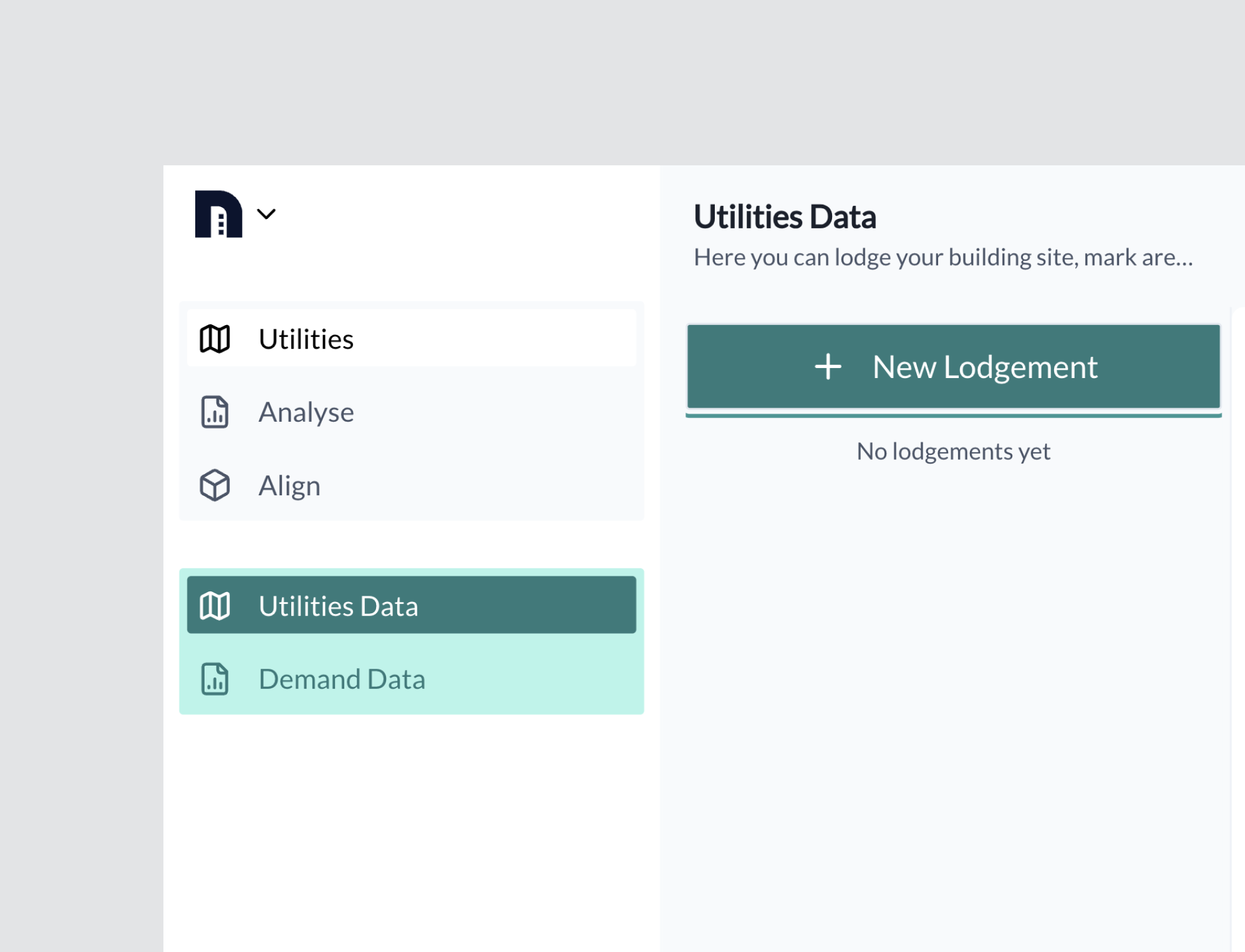
Open Utilities
Navigate to the Utilities tool.
From the Utilities Data panel, select + New Lodgement.
Enter Lodgement Details
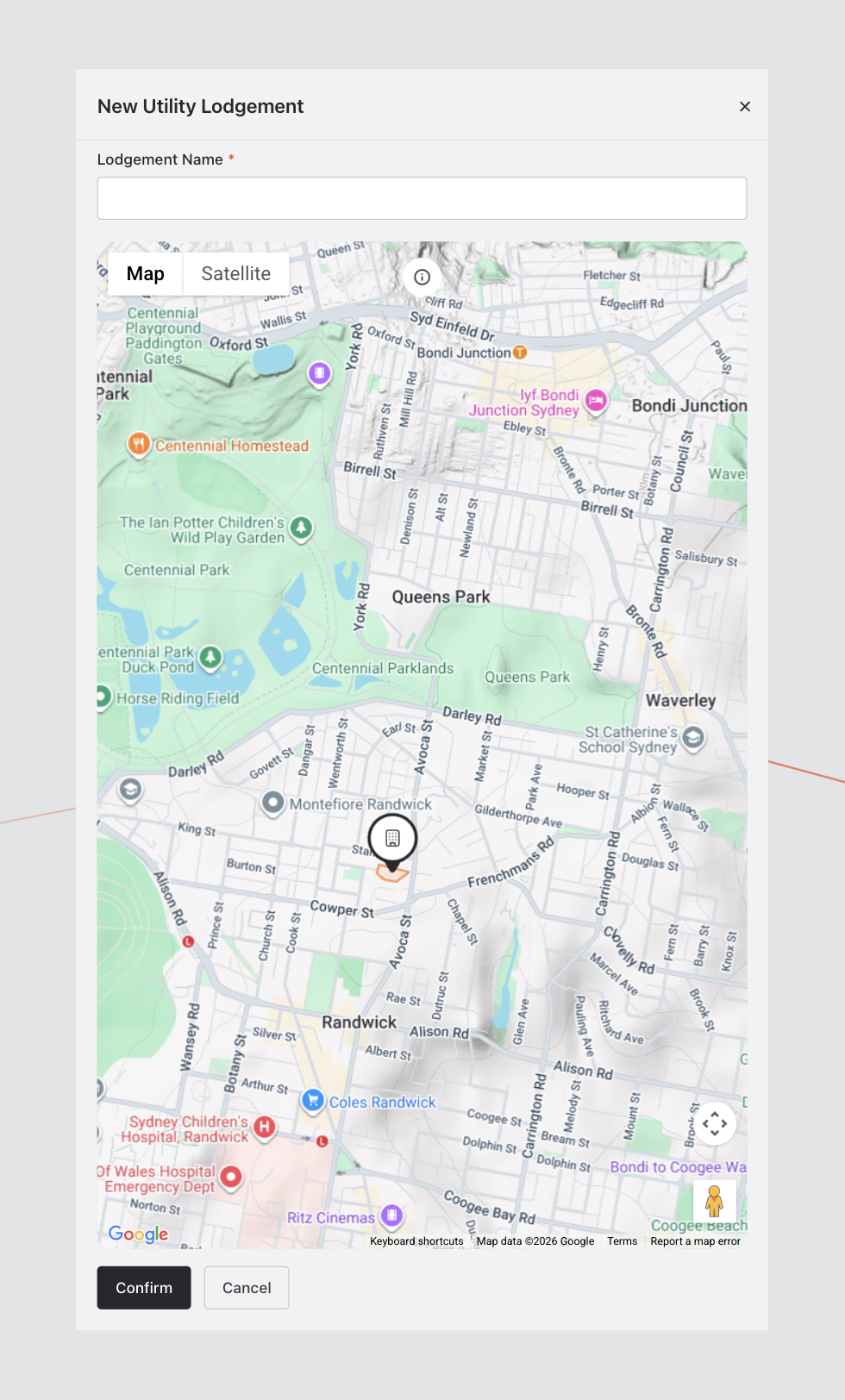
The New Utility Lodgement modal will open.
Complete the following:
- Enter a Lodgement Name (required)
- Define the project boundary using the interactive map
Map features include:
- Standard and Satellite views
- Zoom and navigation controls
- Polygon boundary drawing tools
Define the Site Boundary
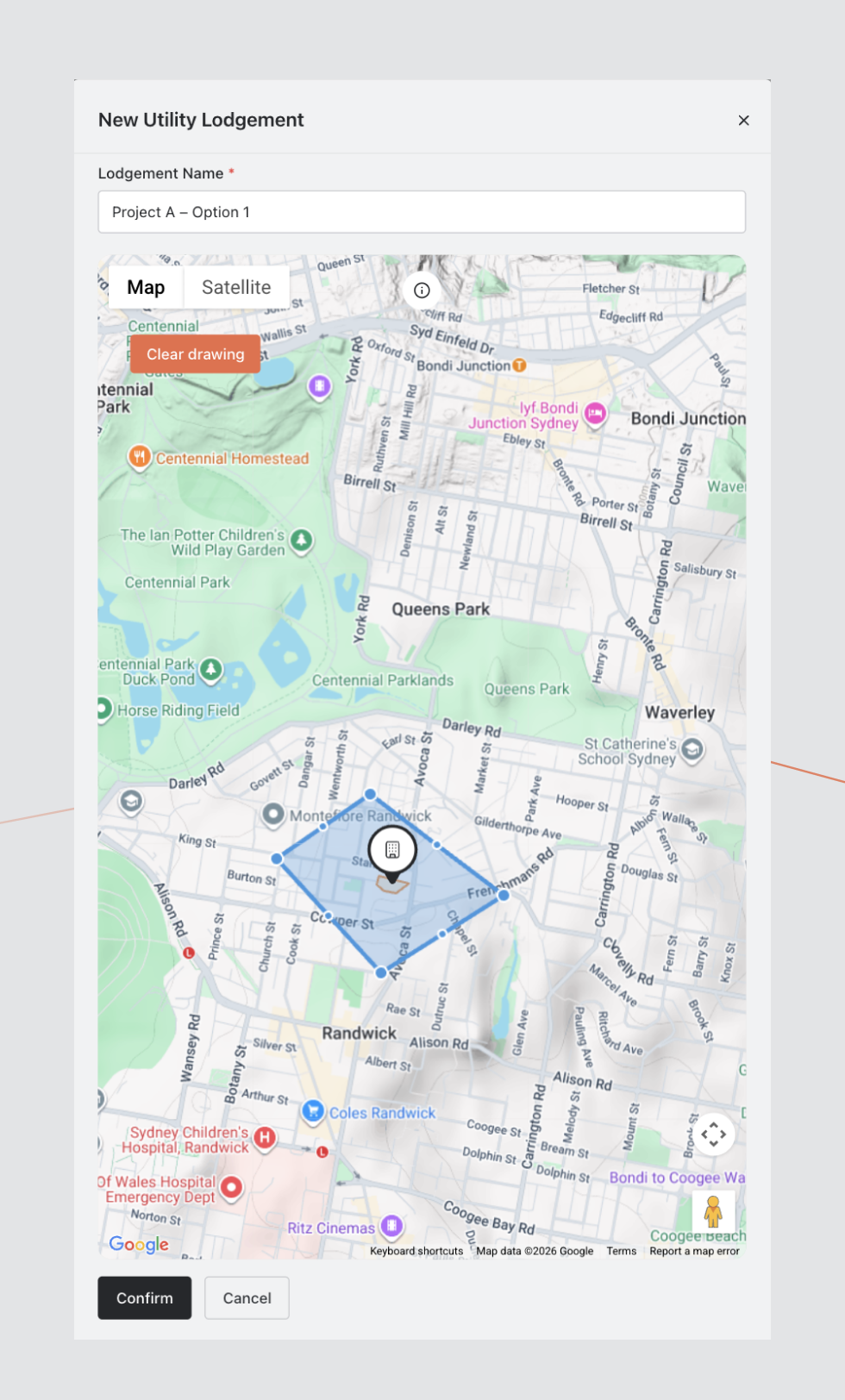
- Click to begin drawing.
- Add points around the project area.
- Close the polygon by reconnecting to the starting point.
The boundary must form a closed shape before confirmation.
To redraw:
- Select Clear Drawing
Use the navigation controls to zoom and reposition as required.
Confirm
When complete, select Confirm.
The Lodgement will appear in the Utilities Data panel.
It is now ready for Demand Data entry and analysis.
Troubleshooting
Boundary Not Saving
- Ensure the polygon is fully closed.
- Confirm a Lodgement Name has been entered.